White noise & sleep sounds

Fall asleep in minutes.
Sleep through anything.

Veil is a white noise and sleep sounds app for iPhone and Android. Every sound is generated live rather than played from a recording, so you never hear a loop restart pull you back awake.
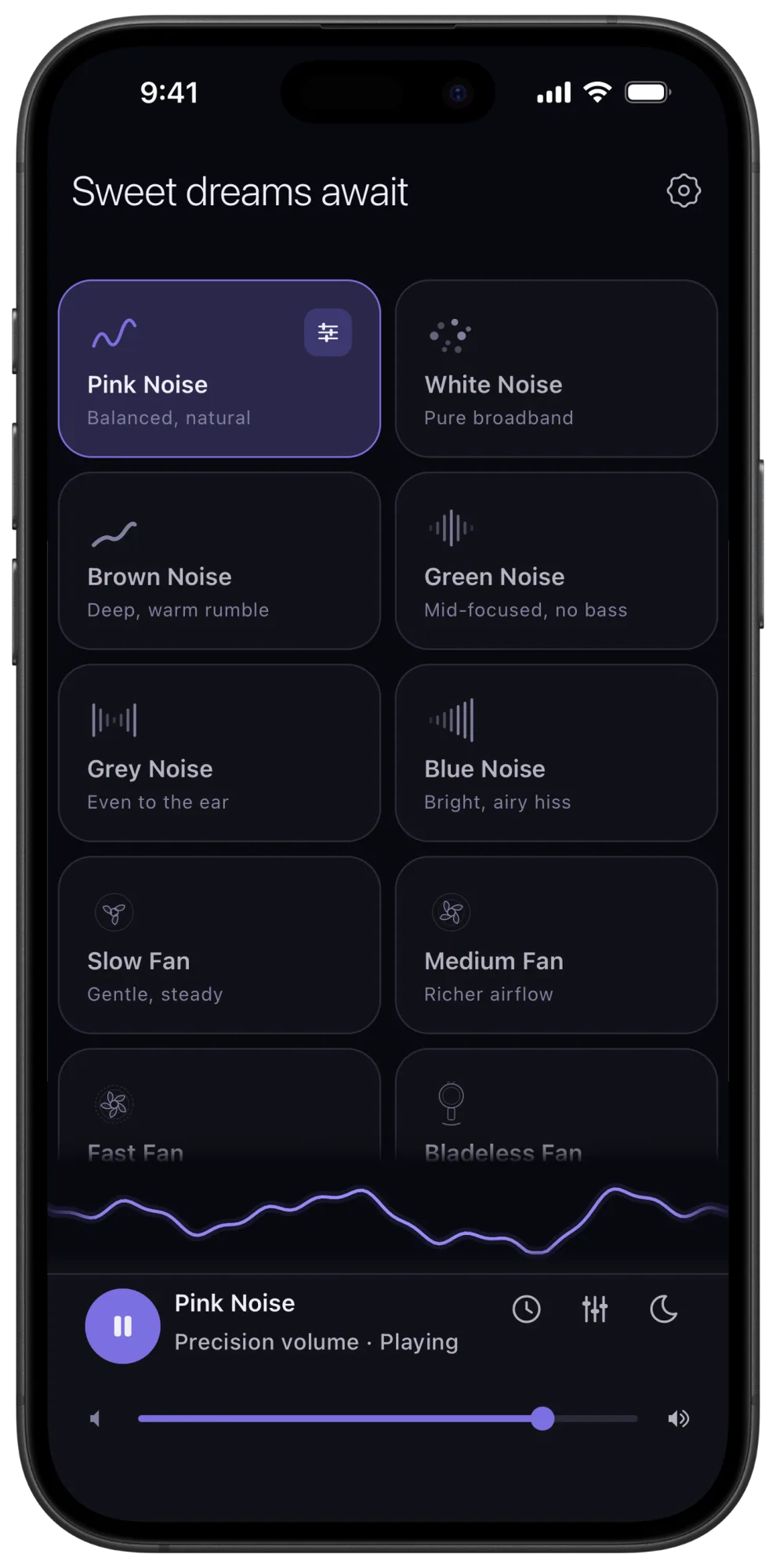
Veil home screen on an iPhone: a dark grid of sound cards with pink noise playing and the precision volume slider

On a computer?Scan to install Veil on your phone. Goes straight to your app store.

White, pink and brown noise, plus Slow Fan. Free tuning controls.
No ads. No account.

Optional Premium: $1.99/month, $9.99/year or $19.99 once.

Clean enough to use
with one eye open.

A modern dark interface, spacious controls and one tap to play. Set a bedtime reminder, switch to a dim bedside clock, shape your sound and let the sleep timer fade it out. Premium adds mixing and saved mixes. No ads. No account.

“Big fan of the UI and tuning feature to dial in the perfect sound to help me sleep”
reggaestyle808 · App Store review
Veil home screen with pink noise playing

Home

One tap to play, built for the dark.
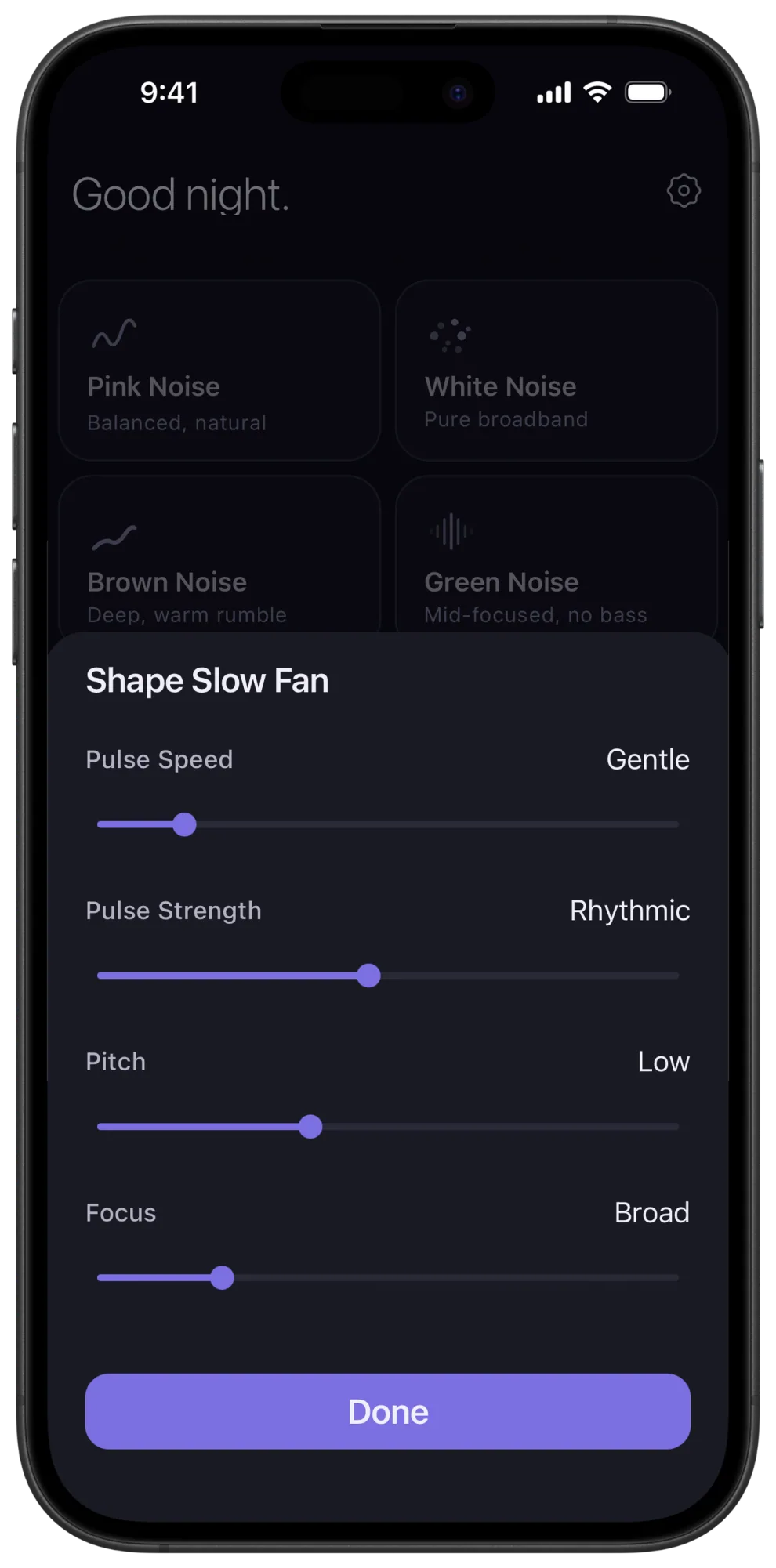
Veil Slow Fan tone shaping controls

Shape Your Sound

Tune a fan sound to your ears.
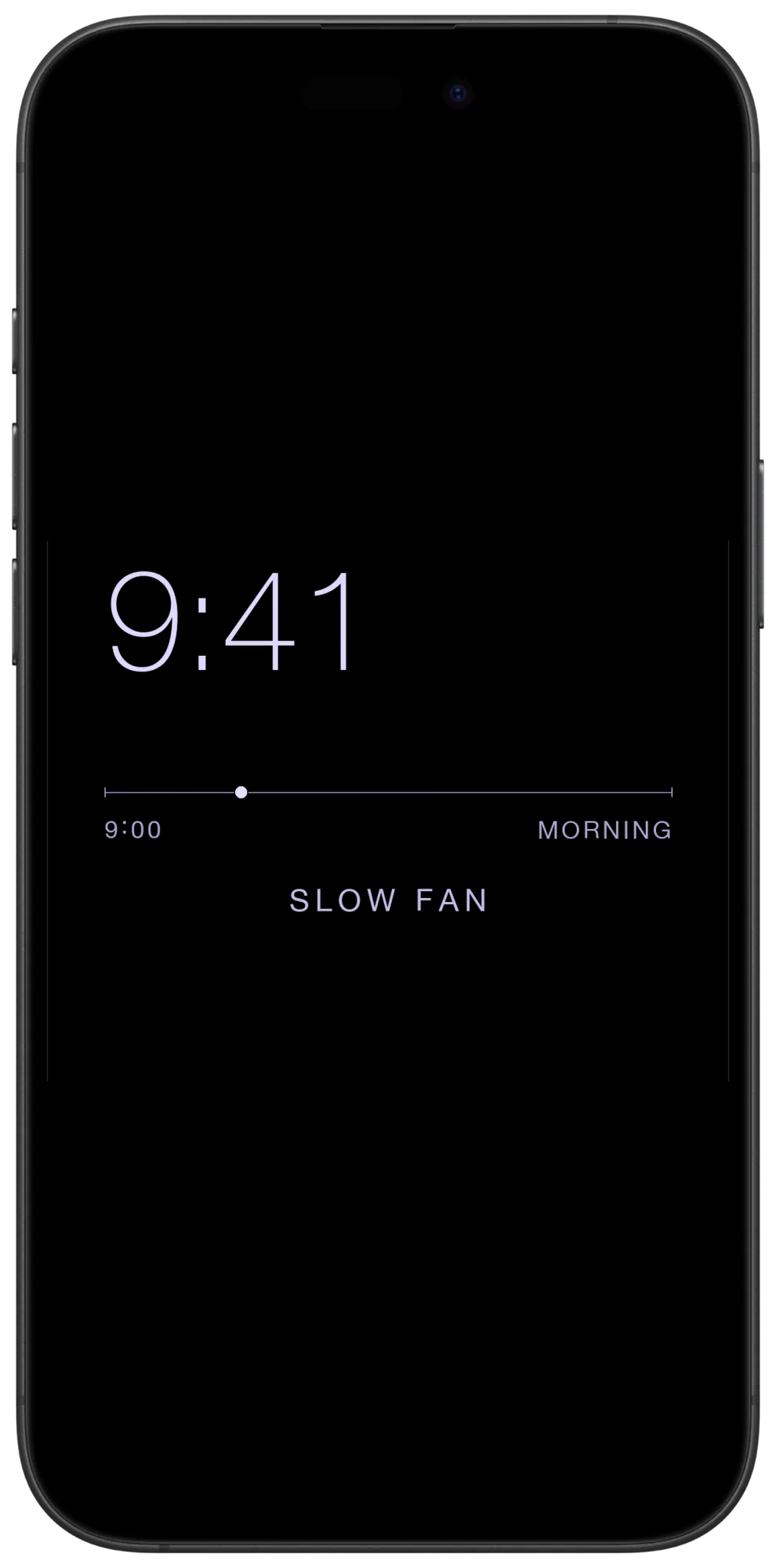
Veil Bedside Clock Mode showing a dim nighttime clock

Bedside Clock Mode

A dim clock beside your sleep sounds.
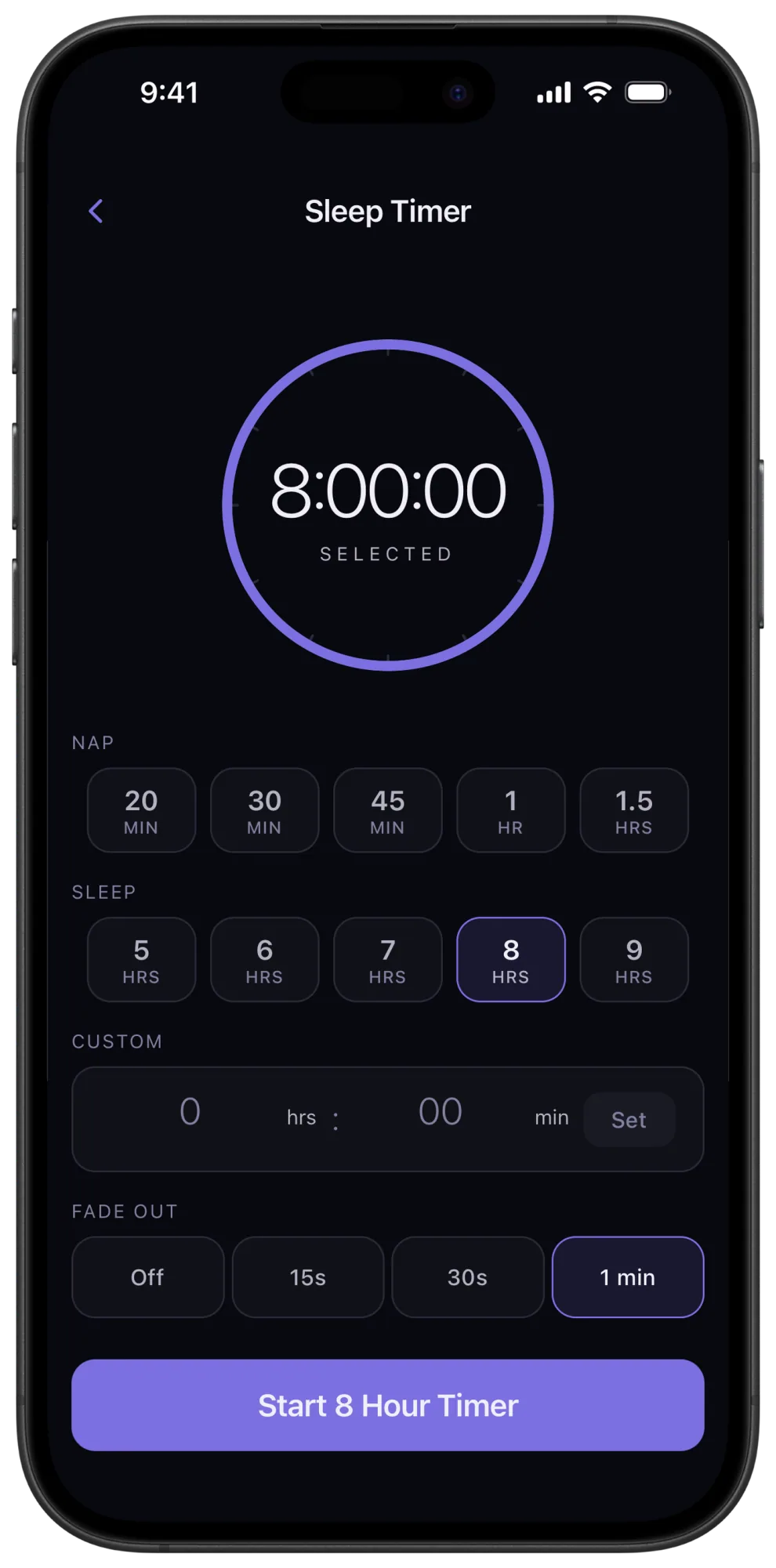
Veil sleep timer with fade-out controls

Sleep Timer

Fade out gently as you fall asleep.
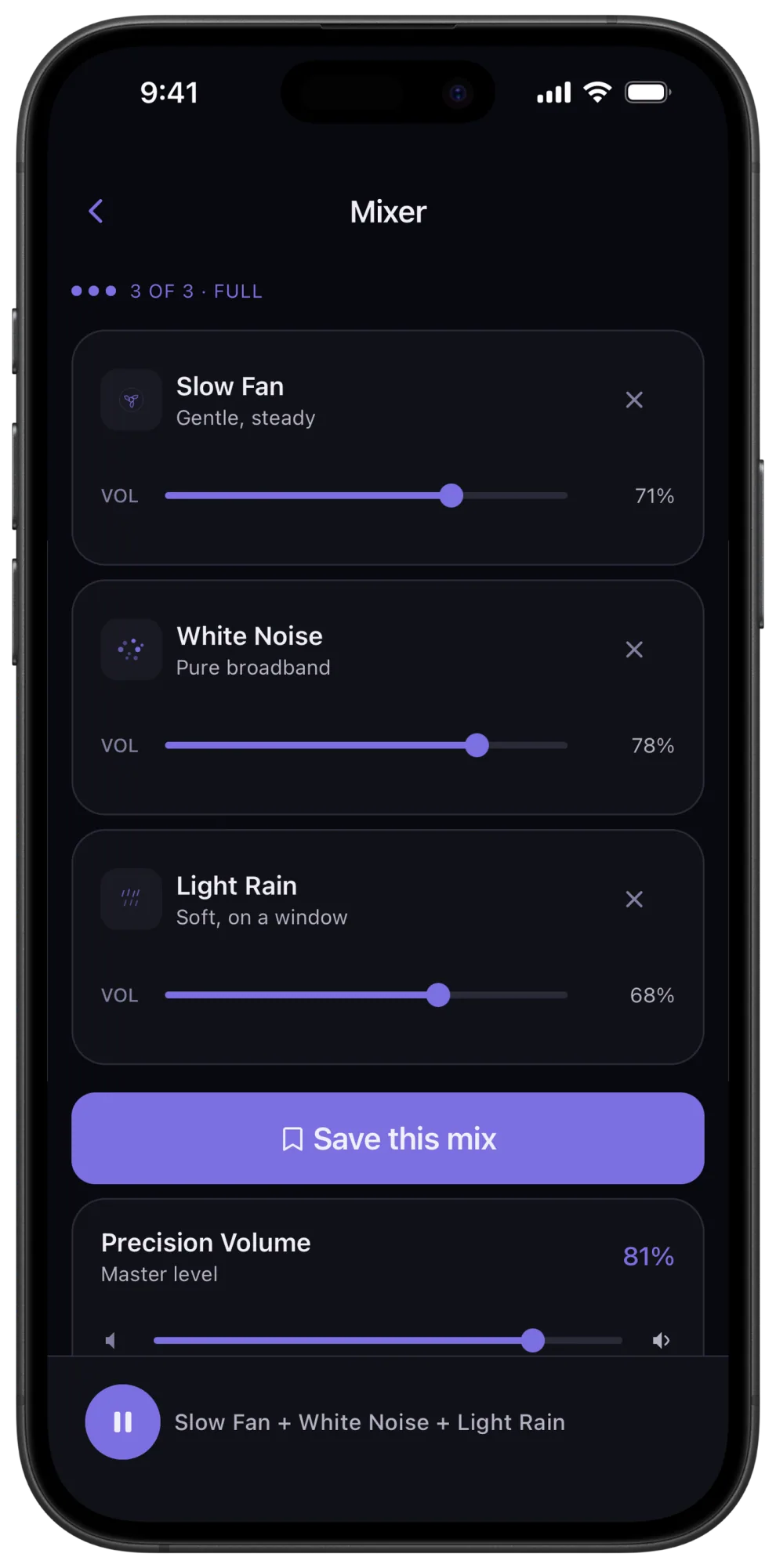
Veil sound mixer with three independent sound volumes

Sound Mixer

Layer up to three sounds.
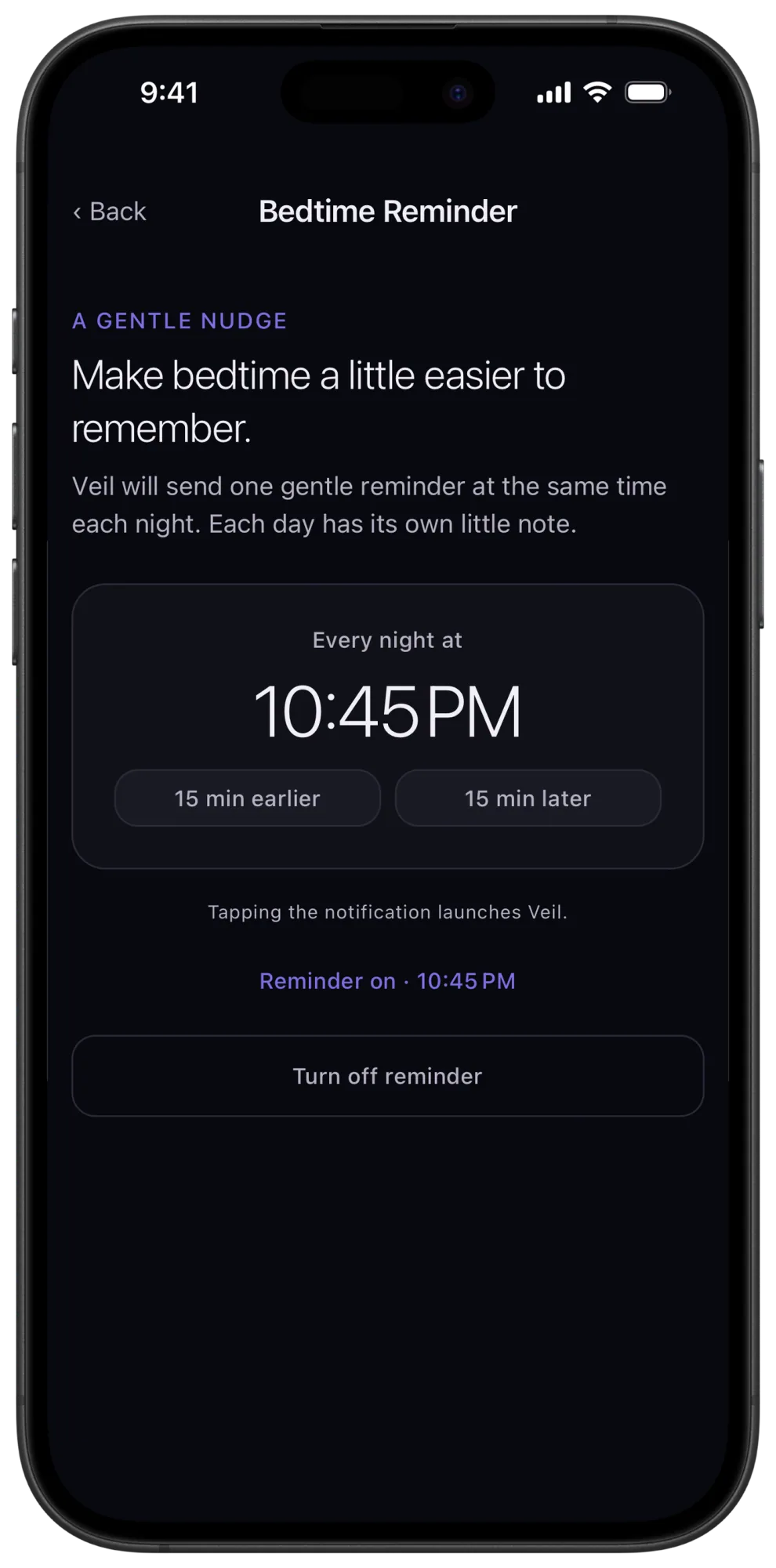
Veil bedtime reminder settings with time selection

Bedtime Reminders

A gentle prompt at your chosen time.

A reminder to wind down. A clock for the night.

Veil keeps the steps around sleep simple, from a reminder at your chosen bedtime to a quiet clock beside your sound.

Bedtime reminders you control

Choose a time for an optional nightly notification. Tap it to open Veil when you are ready, or change the time or turn reminders off whenever you like.

Bedside Clock Mode

See the time on a dim screen while your sleep sounds play. Pick a clock face and adjust its brightness. Keep your phone charging if you want the clock to stay visible overnight; on battery, your screen follows its normal timeout.

People are
sleeping on it.

Excerpts from real App Store reviews.

★★★★★

Calm Alternative

The same day my 7 day trial ended I had my finger on the button to pay another $50 for pink noise. Luckily this came thru on Reddit and I tried it out. Absolutely what I wanted that even Apple Music couldn’t provide adequately. Really simple private app. Loving it!

MarkMiller455

★★★★★

Beautiful and authentic

Covers everything I need with beautiful, authentic sounds and some lovely surprises. 🤓

NKHANT

★★★★★

Perfect!

My favorite is the central AC. But brown noise is better for focus when there’s noise around because it's stronger.

Calm Little Bear

★★★★★

Very good for sleep

A lot of fine tuning possible and you can save your mixed sounds.

Mvkzv

★★★★★

Pink Noise Rocks

Someone sent me this and I have been using Apple Music for pink noise. This app is so simple so cheap and so what I wanted. Thank you!

CMD934

★★★★★

Works great!

Works as advertised! Well designed, easy to use and effective.

nonafmec

Not all noise
is equal.

Each color of noise has a different frequency character, and each one affects focus and sleep differently. A little context goes a long way toward finding what actually works for you.

White, pink, brown, green, grey, and blue. Hear all six generated live in your browser, watch the waveform move, and compare them side by side.

Hear and compare noise colors

Or open a free generator directly: White noise Pink noise Brown noise Green noise Grey noise Blue noise Fan noise Rain sounds Ocean sounds

Your sound machine.
Tuned to you.

Veil brings a dedicated sound machine experience to your phone: sound synthesized on your device, precise controls and a quiet, modern interface. Start free, then unlock Premium with a subscription or a lifetime purchase.

Truly infinite sound
Every sound is synthesized in real time from white noise and digital filters. There is no audio file. There is no loop boundary. You will never hear it repeat.
Precision volume
Fine-grained, analog-style volume control lets you make small adjustments until the sound sits comfortably in your room. Find the lowest level that masks the distractions around you.
Tune every sound
Shape every sound as it plays, with controls tailored to what you hear. Adjust the character and brightness of brown noise or the pitch and pulse of a fan. The four free sounds include their shaping controls.
Deep fan library
Start with a slow, medium, fast, box, ceiling, bladeless or tower fan, then adjust its tone and movement to your preference. Each fan is synthesized on your device, with no loops.
Designed for the dark
A modern dark interface with spacious sound cards, readable controls and precise sliders. One tap on Home starts a sound. No ads or account required.
Mix, save, and recall
Layer up to three sounds with independent volume controls. When you find the combination that works, save it as a named mix. One tap to restore it next time.
Voice control
Ask Siri to play Brown Noise or stop Veil without unlocking your phone. Hey Google shortcuts on Android. Works from lock screen, earbuds, and HomePod.
Timer that fades
Set a sleep timer from 15 seconds to 8 hours. When time is up, the audio fades out gradually, no abrupt silence that jolts you awake. The way a hardware machine should have always worked.
Made yours
Customize the animated waveform visualizer style. Set your own time-of-day greeting so the app says something that feels like yours, not a generic good morning from a template.

Sound you can shape.
An app you can own.

Veil combines sound synthesized on your device, with no loops, and a modern interface built around useful controls. Start free, shape the sound to your ears, and choose a lifetime unlock when you want everything.

What mattersWhat you get with Veil
Sound generationSynthesized on your device, with no loops. Works offline.
Customization23 adjustable starting sounds, with virtually endless variations through tuning and Premium mixing.
Everyday controlsPrecision volume, a sleep timer with fade, and background playback.
Free accessWhite, pink and brown noise, plus Slow Fan. Their tuning controls are free. No ads.
Optional PremiumAll sounds, mixing up to 3 at once, and saved mixes. Monthly, annual or lifetime.

Every sound,
synthesized.

23 adjustable starting sounds, with virtually endless ways to make them yours. Every sound is synthesized on your device, with no loops. Shape each one as it plays, or layer up to 3 with Premium mixing.

White Noise
Pure broadband
Free
Pink Noise
Balanced, natural
Free
Brown Noise
Deep, warm rumble
Free
Green Noise
Mid-focused, no bass
Premium
Grey Noise
Even to the ear
Premium
Blue Noise
Bright, airy hiss
Premium
Slow Fan
Gentle, steady
Free
Medium Fan
Richer airflow
Premium
Fast Fan
High energy
Premium
Bladeless Fan
Smooth, hum-free
Premium
Tower Fan
Steady, focused
Premium
Box Fan
Wide, room-filling
Premium
Ceiling Fan
Low, airy drift
Premium
Window AC
Mechanical hum
Premium
Central AC
Deep, distant
Premium
Heater
Warm radiator hiss
Premium
Airplane Cabin
Cruising altitude
Premium
Train Cabin
Rolling rail clack
Premium
Clothes Dryer
Rhythmic tumble
Premium
Vacuum Cleaner
Sharp, focused
Premium
Shower
Warm, steady rain
Premium
Light Rain
Soft, on a window
Premium
Heavy Rain
Steady downpour
Premium

Subscribe if you want.
Or pay once and own it.

The four core sounds and their tuning controls are free. Premium adds every sound, mixing and saved mixes. Choose a monthly or annual subscription, or pay once for lifetime access.

Free
$0
Free forever. No trial, no account.
  • ✓ White, Pink & Brown Noise
  • ✓ Slow Fan
  • ✓ Tuning controls for all four free sounds
  • ✓ No ads
  • ✓ All visualizer styles
  • ✓ Sleep timer with fade
  • ✓ Background audio & lock screen controls
  • – Premium fan & mechanical sounds
  • – Sound mixing & saved mixes
  • – Siri & Hey Google shortcuts
  • – Custom greetings

Things people
want to know.

Yes. You can opt in to a nightly bedtime reminder at a time you choose. The notification opens Veil when tapped, and you can change the time or turn it off.
Yes. Bedside Clock Mode shows a dim clock alongside your sound, with adjustable brightness and clock faces. When your phone is charging, the clock can stay visible overnight. On battery, the screen follows your device timeout while audio continues.
Veil synthesizes sound on your device, with no loops. You can adjust the sound while it plays and keep listening offline. That combination makes it a useful alternative if repeating tracks distract you.
Some listeners notice repeating patterns in recorded tracks. Whether a loop is noticeable depends on the track and the listener. Veil offers sound synthesized on your device, with no loops. Our white noise app comparison explains how the individual apps approach sound and playback.
White noise is equal energy across all frequencies. Bright and dense, like TV static. Pink noise rolls off as frequency goes up, matching how natural sounds are distributed. Warmer and softer, like steady rainfall. Brown noise concentrates energy in the bass. Deep and enveloping, like distant thunder or a large waterfall. Most people find pink the most natural starting point. Brown is popular with anyone who finds white too harsh or wants to quiet a busy mind. Read our full comparison.
Yes. Background audio through screen lock is a hard requirement for a sleep app, and Veil treats it as non-negotiable. Audio continues through screen lock, app backgrounding, and notification interruptions on both iOS and Android. Lock screen controls (play, pause, stop) are fully supported. Some Android phones add their own power saving on top of the system's, which can stop any audio app overnight: our guide to audio stopping when the Android screen turns off covers the steps that prevent it.
Both, and the choice is yours. Veil has a monthly plan at $1.99, an annual plan at $9.99, and a one-time unlock at $19.99 that never expires and never renews. The plans exist because plenty of people quite reasonably want to know whether an app helps them sleep before paying for it permanently. The one-time unlock exists because Veil generates noise on your device: there is no content to maintain and no servers to pay for, so renting it to you forever would be hard to justify. If you would rather own it, you always can.
No. Veil synthesizes each fan sound on your device, with no loops. Adjust its pitch, pulse and focus as it plays to find the character you prefer, from a slow pulse to a broad box-fan sound.
Yes. On iOS, Veil integrates with Siri Shortcuts so you can say things like "Hey Siri, play Brown Noise" or "Hey Siri, stop Veil" without touching your phone. On Android, Hey Google shortcuts work the same way. Both are available to Premium users and work from your lock screen, earbuds, and HomePod or smart speaker.
Yes. Premium users can save any mix of up to three sounds, with individual volume levels, as a named preset. Your saved mixes appear at the top of the home screen alongside the individual sounds, so restoring your go-to combination is always one tap away.
Yes. Every sound has controls tailored to what you hear. For brown noise, move Character toward Deep for heavier bass or lower Brightness for softer highs. On a fan, adjust pulse speed, pulse strength, pitch and focus. Shaping is included with all four free sounds. Premium adds more adjustable starting sounds and mixing, giving you virtually endless combinations to explore.
Yes. Veil supports AirPlay, so you can stream to a HomePod, Apple TV, or any AirPlay-enabled speaker. It also works with any Bluetooth speaker or headphones. A lot of people use Veil through a bedside Bluetooth speaker for louder, room-filling sound, which is one of the advantages over a dedicated noise machine that is limited to its own built-in speaker.
Yes. Every sound is generated on your device in real time. There is nothing to stream and nothing to download. Veil works on airplanes, in rural areas, underground, or anywhere with no cell signal. It does not need Wi-Fi, mobile data, or any network connection to function.
Veil has 23 procedurally generated sounds across four categories. Noise colors: pink noise, white noise, brown noise, green noise, grey noise, and blue noise. Fan sounds: slow fan, medium fan, fast fan, bladeless fan, tower fan, box fan, and ceiling fan. Mechanical sounds: window AC, central AC, heater, airplane cabin, train cabin, clothes dryer, vacuum cleaner, and shower. Nature sounds: light rain and heavy rain. Pink noise, white noise, brown noise, and slow fan are free. Premium unlocks all 23.
At a reasonable volume, yes. Sleep researchers generally recommend keeping noise at or below 50 decibels, roughly the level of a quiet conversation. Veil includes a precision volume control designed to help you find the minimum effective masking level, rather than just cranking the volume. The built-in sleep timer can also fade the audio out after you fall asleep if you prefer not to run it all night.
Veil is designed to run all night with minimal battery impact. Because it generates sound locally instead of streaming audio, there is no network activity keeping your radios awake. The screen stays off, and the audio engine runs efficiently in the background. Most users report 5 to 10 percent battery drain over a full eight-hour night.
Absolutely. Many people use Veil during the day for concentration. Brown noise is especially popular for focus and deep work because its low-frequency emphasis masks distracting speech and office noise without adding harsh high-frequency content. Pink noise is another strong choice for sustained attention. The sound tuning controls let you dial in exactly the right balance for your environment. Learn more about brown noise for focus.

Start sleeping better
tonight.

Free to download. No account. No setup. Playing in seconds.